Apply from the page the job is on.
The WorkHunt browser extension tailors your resume from the job post you have open, then fills in the application form. You review, and you submit.


Works with your WorkHunt account.
Tailor from the job post.
A Tailor resume pill appears beside the job description, and one click starts tailoring. You review every change in the web app before you accept it.

Fill the form in a few clicks.
The assistant opens beside the form with a bubble on every field it can fill, and attaches your tailored resume and cover letter as PDFs. Submitting stays with you.

One shortcut away.
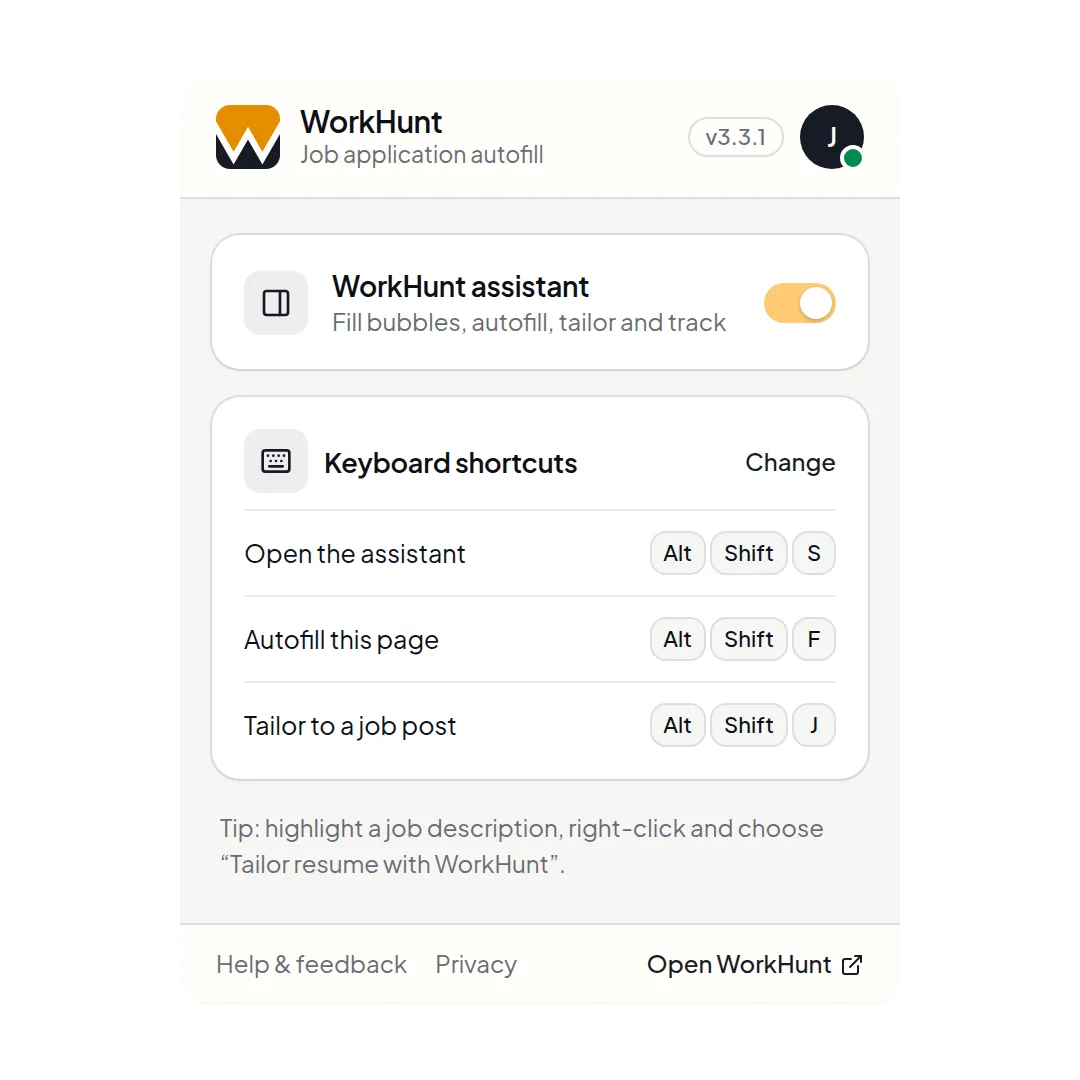
Switch the assistant on from the toolbar, or stay on the keyboard: Alt+Shift+S opens it, Alt+Shift+F fills the page, and Alt+Shift+J tailors to a job post. On a Mac, hold Ctrl+Shift with the same letters.
- Where it works
- Built-in readers for LinkedIn, Indeed and SEEK, plus a general reader for company career pages and applicant tracking systems.
- Tracked as you go
- Save a job for later or mark it applied without leaving the page. It lands in your tracker in the web app.
- Private by design
- Job post detection runs on your device. WorkHunt reads a page's form or job text only when you act, and the extension carries no analytics, ads or tracking code.
Apply from the page the job is on.
Add the extension, then tailor and fill from the job post you have open.