Resume templates
Every template in WorkHunt, all free. Each page below is the same resume as the app exports it, so the only thing that changes is the layout.
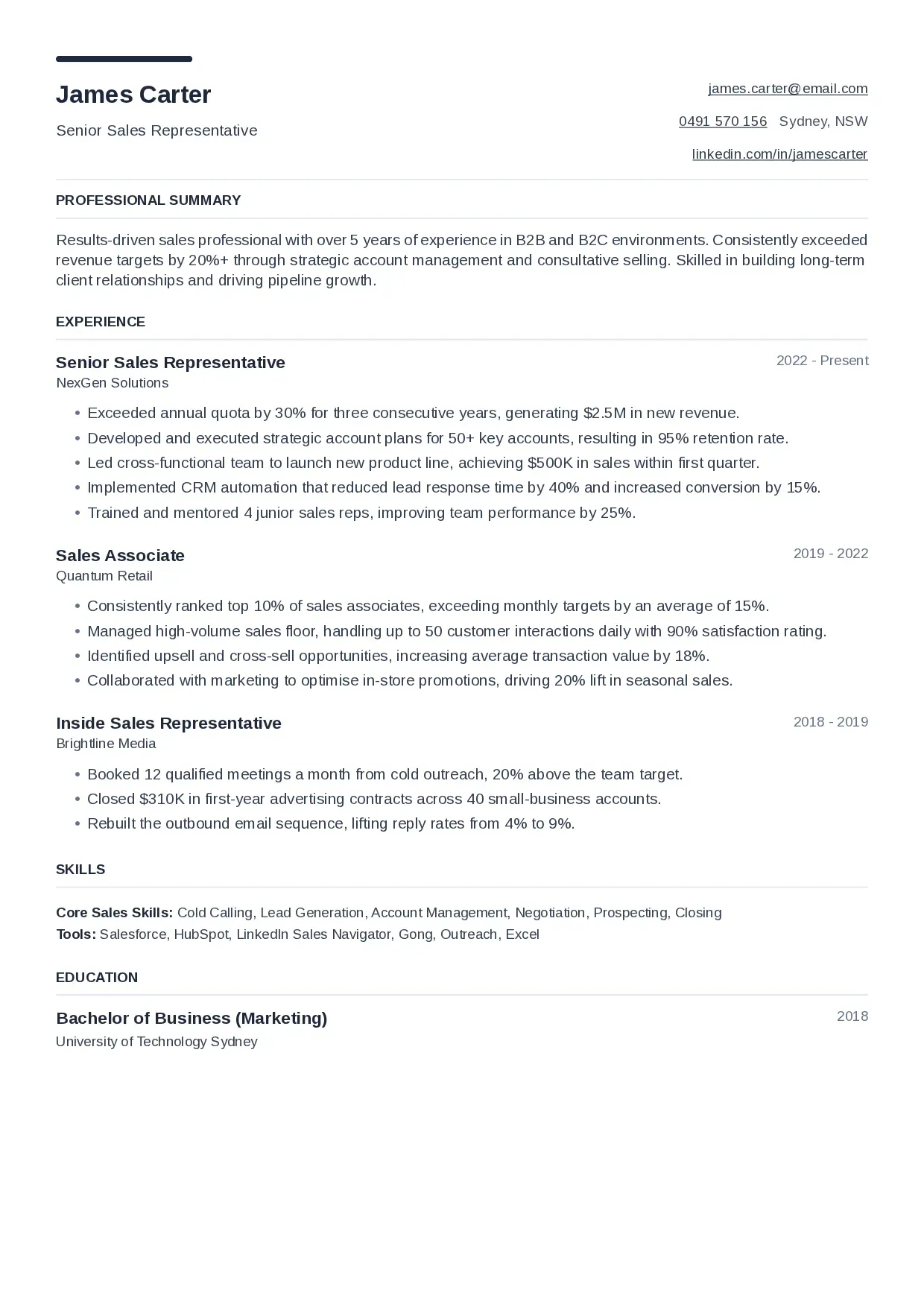
Modern
A short accent bar over your name, contact details on the right and hairline rules under each heading. The template WorkHunt starts you on.
Open the PDF of the Modern template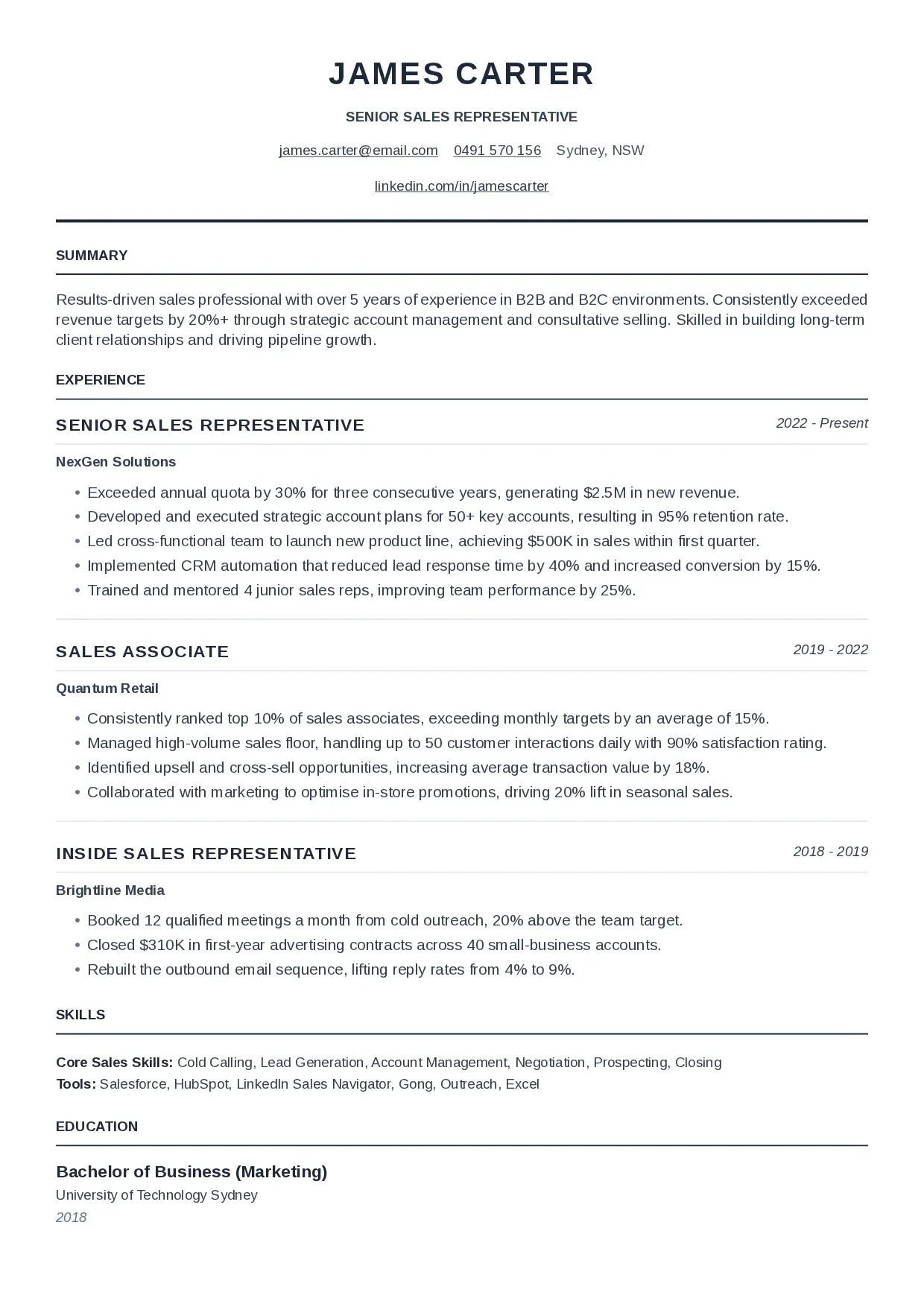
Classic
A centred header in capitals over a heavy rule, with job titles in capitals and dates in italics. The formal one, for conservative fields.
Open the PDF of the Classic template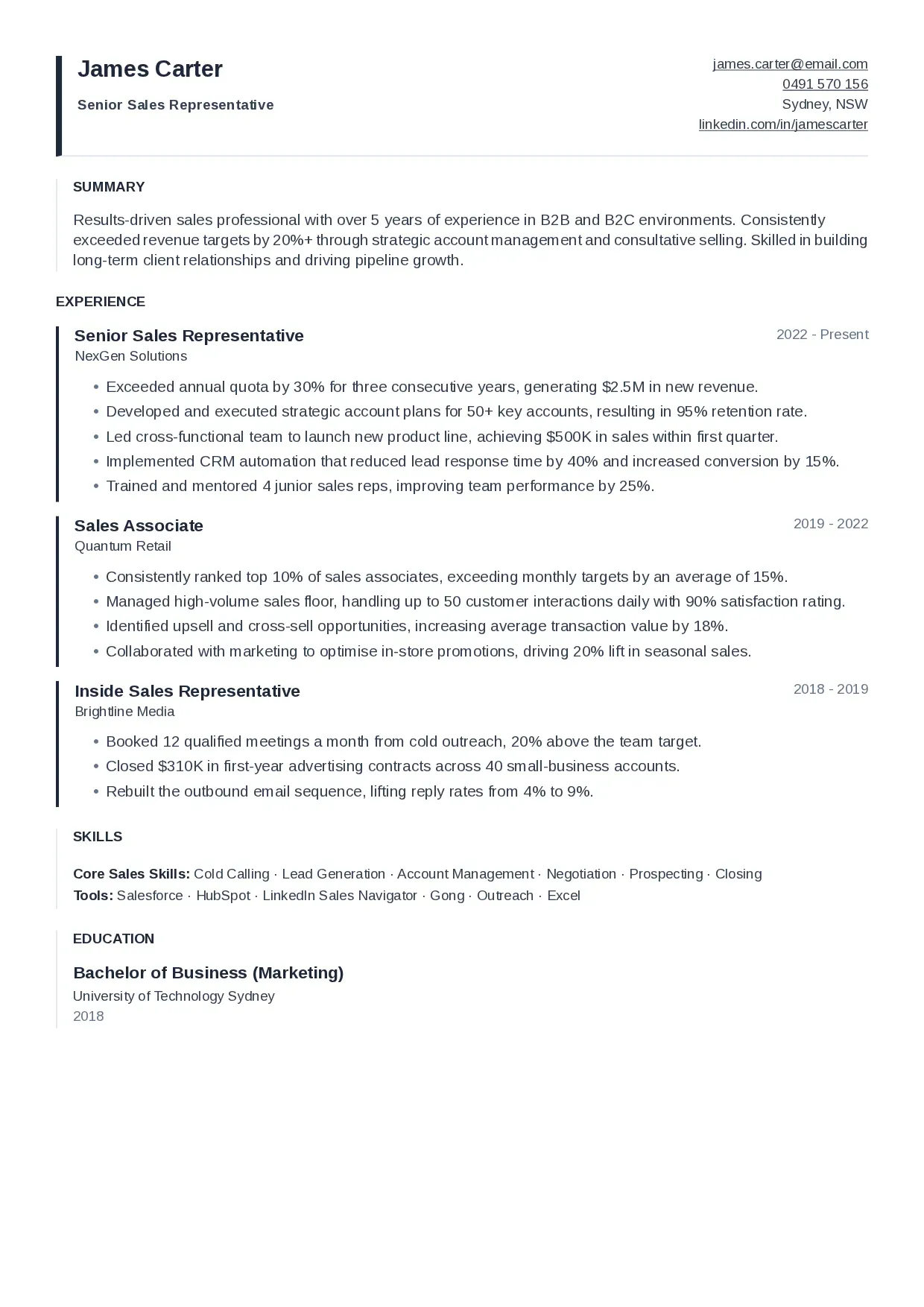
Compact
The density template: a quiet name, contact details stacked on the right and a bar down the edge of each role. For a resume with a lot to fit.
Open the PDF of the Compact template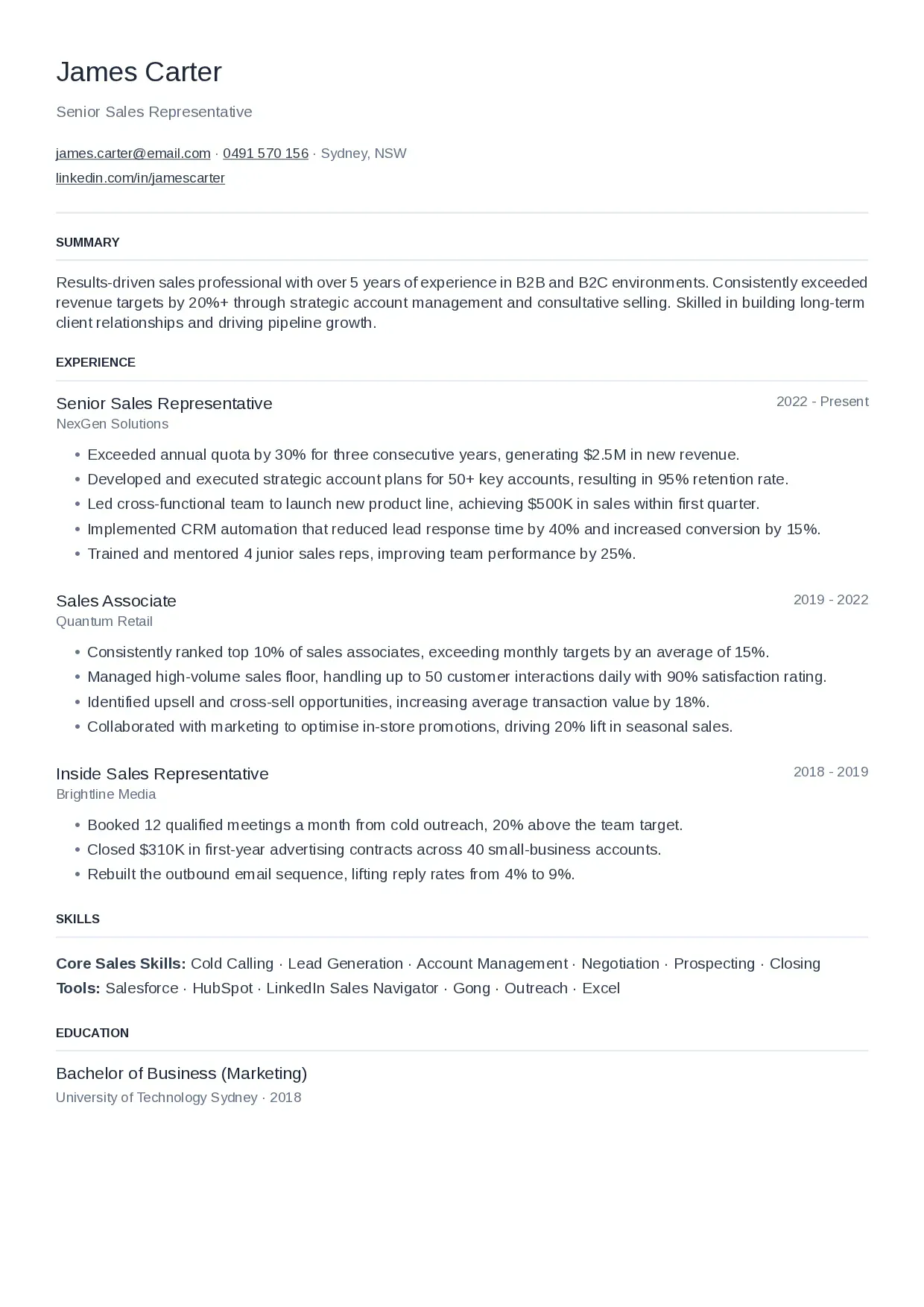
Minimal
No accent and no heavy rules: a light name, contact details on one line and faint dividers. The plainest layout here.
Open the PDF of the Minimal template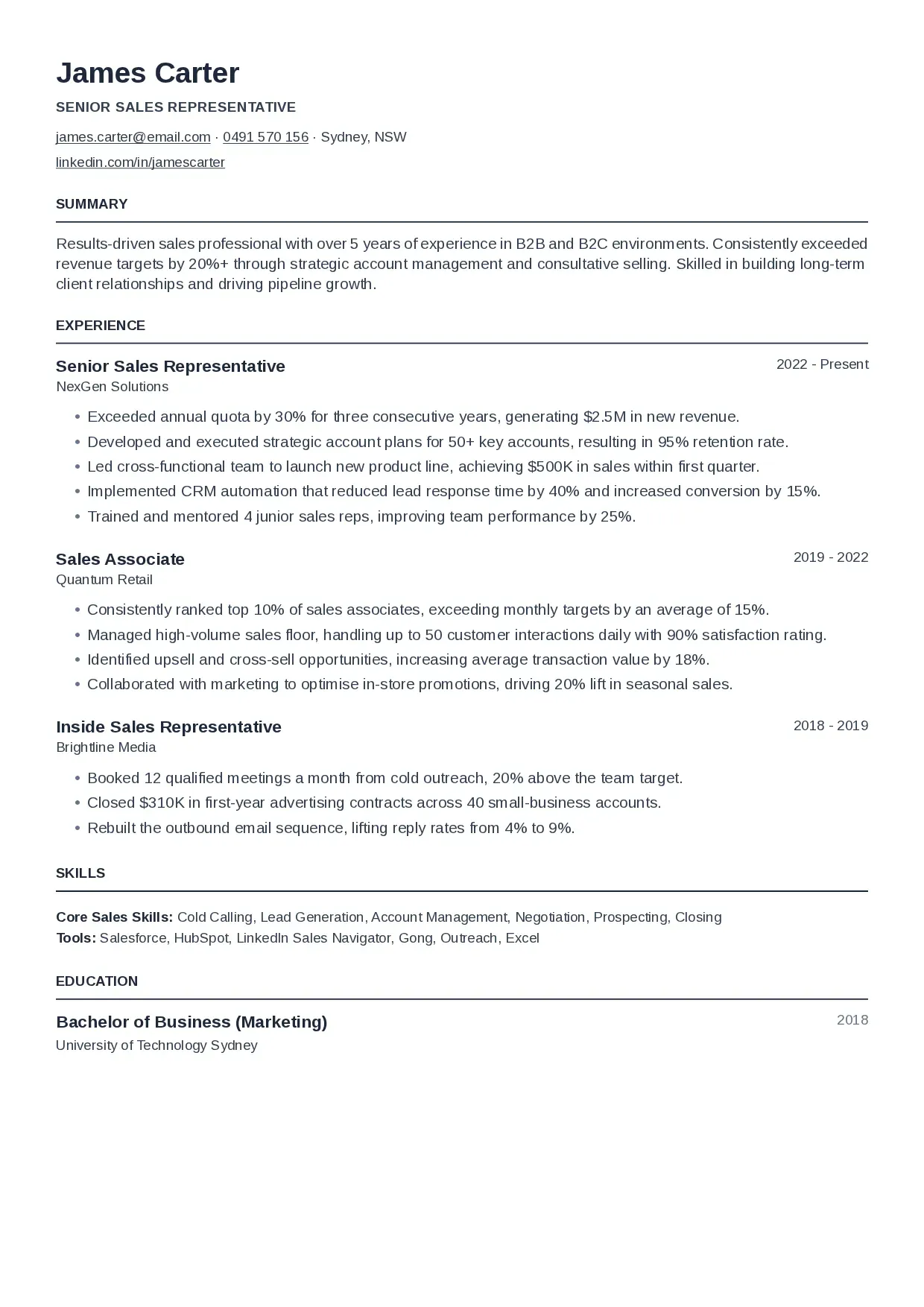
Executive
A heavy, left-aligned name over contact details on one line, with dark rules under the section labels. Carries weight without decoration.
Open the PDF of the Executive template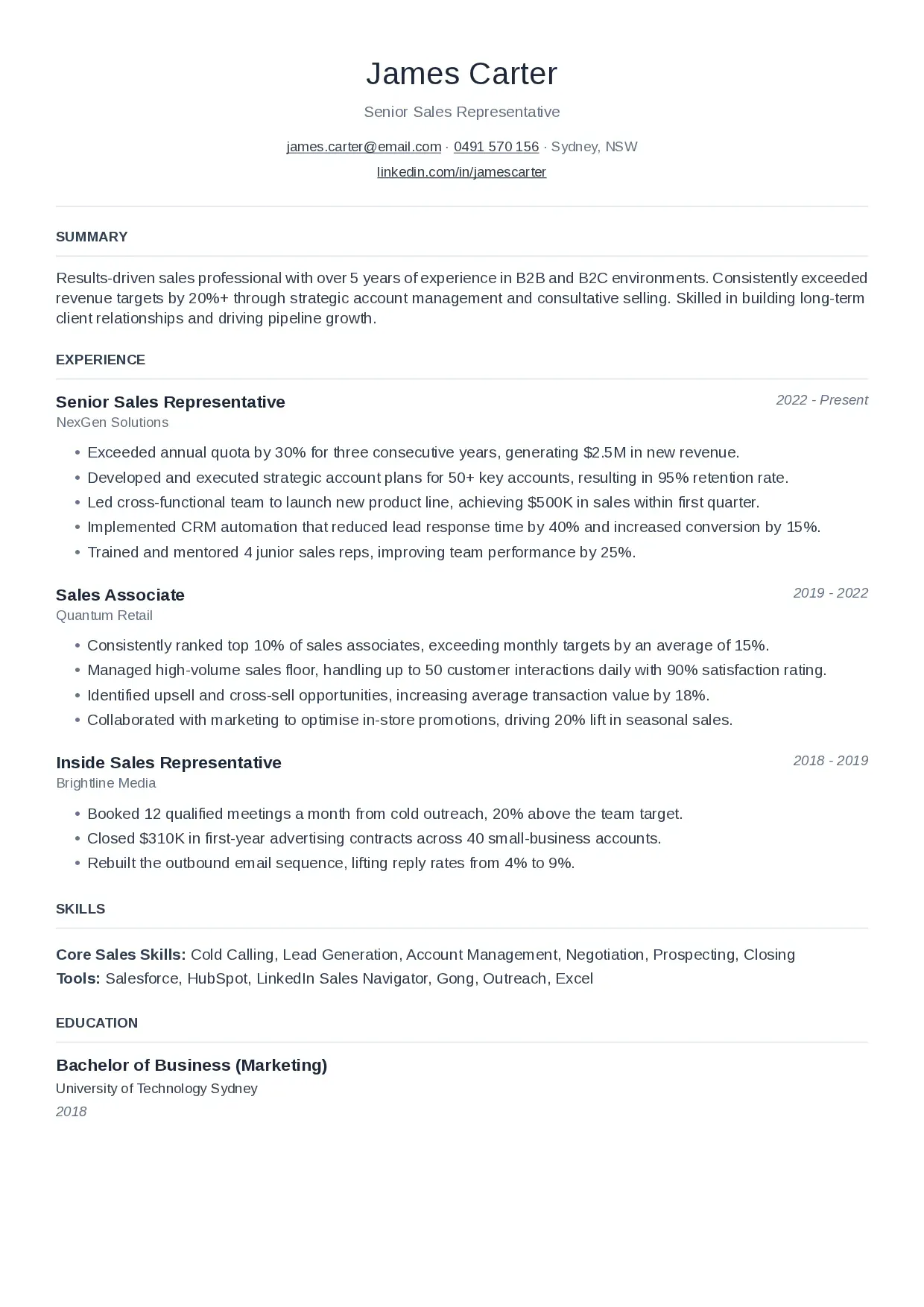
Elegant
A centred header set quietly: a light name in mixed case over faint rules, with dates in italics. Classic's shape with a softer voice.
Open the PDF of the Elegant template
What every template shares
One column of real text
Every template is a single column set in Arimo, with the font carried inside the PDF so it looks the same on every computer. It is real text, not an image: you can select it, search it and copy it straight out of the file.
Switch without retyping
A template is a setting, not a separate document. Change it at any point and the same resume reflows into the new layout.
Adjust the fit
Text size and line spacing are yours to set in every template, so a resume that runs a line over can be pulled back onto one page.
Put your own resume in one.
Paste a job posting and WorkHunt tailors your resume to it, in whichever template you pick. Free to start. No card.